 English
 Deutsch
 Polski
LukyDeluxe Audio Lab
Luky Grain
Play three regions of a WAV clip from MIDI. Cross between marked positions or let the grains travel in time with the song.
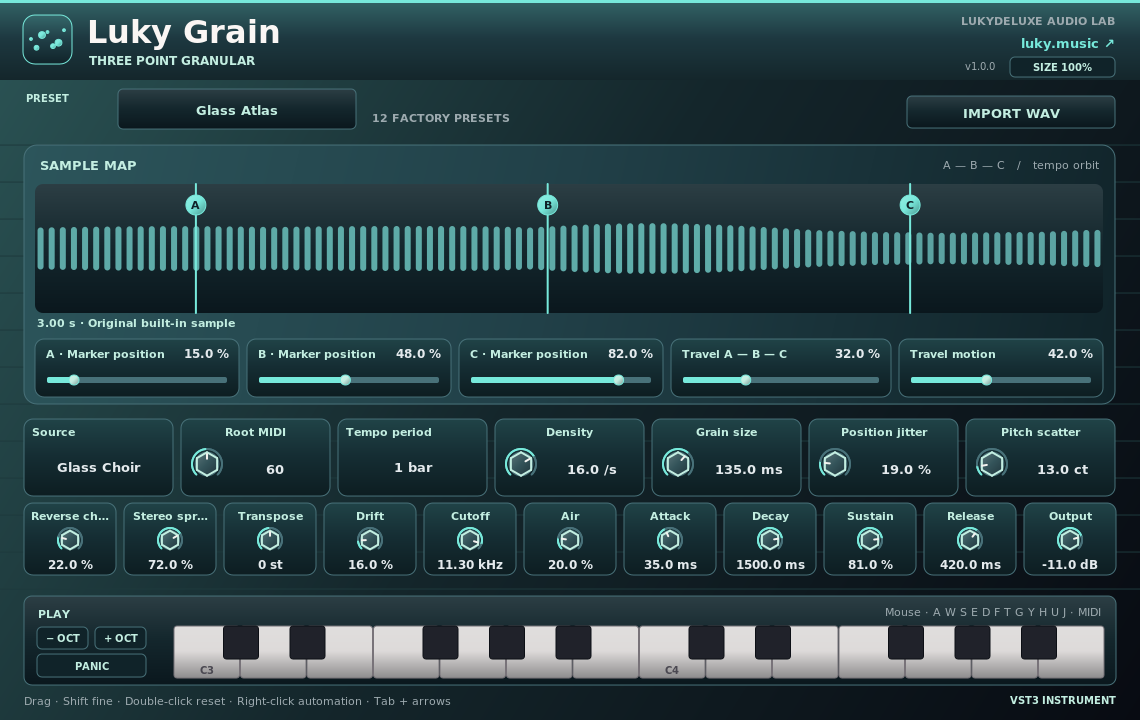
Interface views
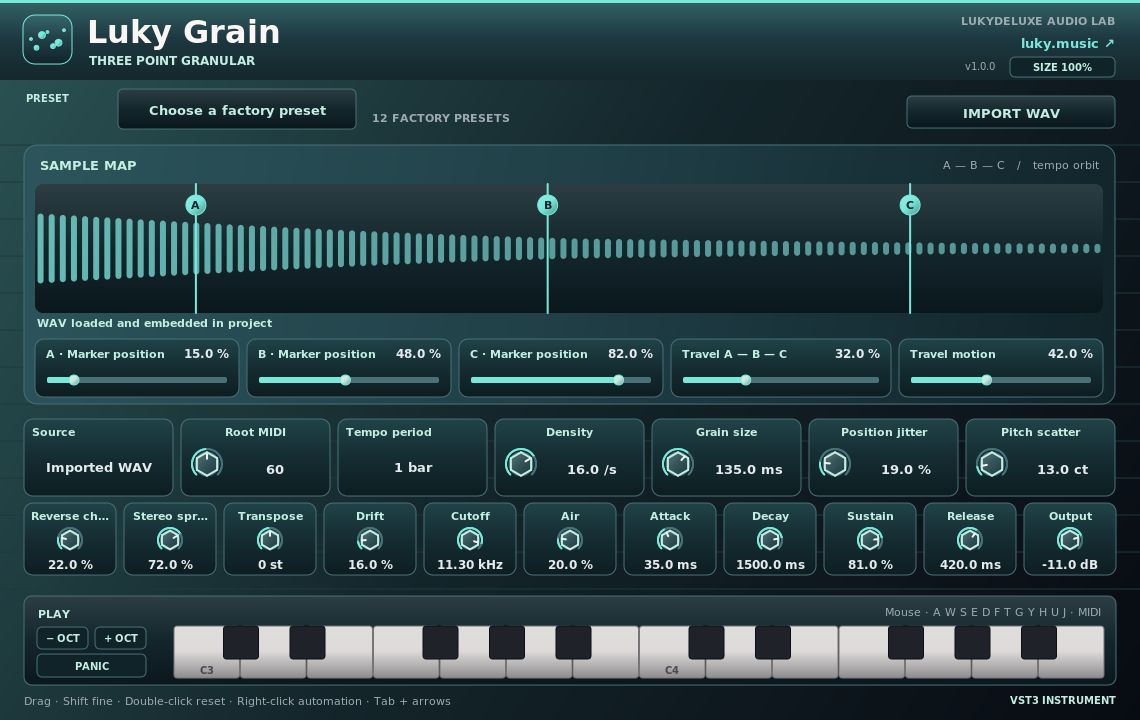
How it works
Grain assembles a new sound from short slices of a WAV file. Place markers A, B and C, set the root note and sweep across them with Travel. Shape the sound with grain size, density, reverse chance, pitch scatter and stereo width.
Three original sample sources and twelve presets work immediately. Import a mono or stereo WAV up to twelve seconds long. The sample is embedded in the project so it can reopen without the original file.
Features
- Three automatable markers and tempo-locked movement
- Eight voices with grain size, density, jitter, reverse and stereo
- Three built-in sample sources and twelve original presets
- WAV import up to twelve seconds, embedded in the project
Ways to use it
- Play a vocal chop as a pad
- Create a wide texture from a short recording
- Move between three clip sections in time during a break
Try it
- Start with Glass Atlas or import a WAV.
- Place the three markers over different parts of the clip.
- Hold a MIDI note and sweep Travel from A to C.
Controls
Three automatable markers and tempo-locked movement
Compatibility and notes
Free VST3 instrument for a MIDI track. Automate all sound controls from the DAW.
Windows x64 and macOS Universal (Apple Silicon/Intel). The Mac edition is not notarized. Intel runtime testing is not documented; follow the host and installation notes for the individual download.
All sound knobs, switches and selection parameters support host automation. Right-click a parameter to open its menu where your DAW provides one.
Install
- Choose the ZIP for your operating system and extract it.
- Windows: copy the entire .vst3 bundle to C:\Program Files\Common Files\VST3.
- macOS: extract the ZIP and open the product .pkg in the Installer folder. Install for your current user. The Mac edition is not notarized; follow the Mac installation and security guide on this page.
- Linux x86_64: Copy the complete bundle from Plugin to ~/.vst3/. The editor uses X11 with Cairo/XCB and a VST3 host with IRunLoop. Use XWayland on Wayland. The Linux build was tested in REAPER on Ubuntu 22.04. WAV import requires the Zenity file chooser (zenity).
- Rescan plugins in your 64-bit VST3 host. Load instruments on a MIDI track and effects in an audio insert.
Download details
- Windows x64 · VST3
- LukyDeluxe-luky-grain-1.0.0-windows-x64-afb5cd1d7ef7.zip
- ZIP size
- 0.55 MiB
- SHA-256
- afb5cd1d7ef782fcfbb47ae54aa0f51378b5bcdfce2e0498b70303356d024246
- macOS Universal · VST3
- LukyDeluxe-luky-grain-1.0.0-macos-universal-af7f4b3665df.zip
- ZIP size
- 0.16 MiB
- SHA-256
- af7f4b3665df77dc0626c5e742e911463c9301aa2af4ab2038e65ec43858daa6
- Linux x86_64 · VST3
- LukyDeluxe-luky-grain-1.0.0-linux-x86_64-50f7306d38a4.zip
- ZIP size
- 0.11 MiB
- SHA-256
- 50f7306d38a42d277e0848f8f374affeeb2d91154c5aef794c03ddc8f37ae766
Mac installation, step by step
The Mac edition of Luky Grain is not notarized by Apple. Its ZIP contains an installer for this specific plugin. Load the installed VST3 in a 64-bit DAW that supports VST3; it is not a standalone app.
1. Extract the ZIP and open the installer
- Choose the macOS Universal ZIP. Quit your DAW and extract the complete ZIP in Finder.
- In the extracted Installer folder, open luky-grain.pkg for Luky Grain. Do not launch the .vst3 as an app.
- If macOS blocks the installer because of an unidentified developer or missing Apple checks, follow section 2. Then reopen that same .pkg file.
- In Installer, choose installation for your current user account or home folder and finish the installation. The plugin destination is shown below.
- Restart your DAW, rescan its VST3 plugins and load Luky Grain there. Instruments use a MIDI track; effects use an audio insert.
Installation destination for your Mac user account
~/Library/Audio/Plug-Ins/VST3/
2. If macOS blocks the installer
Consider this exception only if you downloaded the file yourself from luky.music and trust that specific file. It applies to the product .pkg, not the .vst3 bundle.
- First try to open luky-grain.pkg. Dismiss the unidentified-developer or missing-Apple-check alert, for example with Done; wording varies by macOS version.
- Open System Settings → Privacy & Security and scroll down to Security. Find the recently blocked entry with the actual filename of this product .pkg.
- If Open Anyway is offered for that exact installer, select it and confirm any further opening request. Approve any Mac password or Touch ID request yourself, only in the macOS system dialog.
- Reopen the same .pkg if Installer does not appear automatically. Install only for your current user. Then restart the DAW and rescan the plugin.
No matching entry, or a different warning?
If the entry for the recently blocked .pkg remains absent, contact our support or your IT administrator on a managed Mac. If approving the .vst3 bundle only opens Finder and the DAW remains blocked, the plugin has not been successfully approved; use the product installer. Do not use this procedure to dismiss warnings about malware or a damaged or modified file: stop installation and investigate. Filenames and checksums are listed under Download details.
Keep Gatekeeper enabled. This guide requires neither Terminal commands to remove quarantine nor blanket approval for other software.
Apple’s guidance for safely opening downloaded software ↗